 Tequila
Getting started.
Your first render takes three steps. After that, here's how the viewport and the renderers work, how to script Tequila, and where the longer guides are.
New to Tequila? Start with Learn.
Step-by-step lessons from your first render to scripting, a map of the window, and every feature with where to find it.
Go to LearnYour first render
When Tequila opens, a welcome card lists the same three steps. The start screen also has three sample scenes, the headphones, the perfume bottle and the palma P8 handheld, if you'd like to look around first.
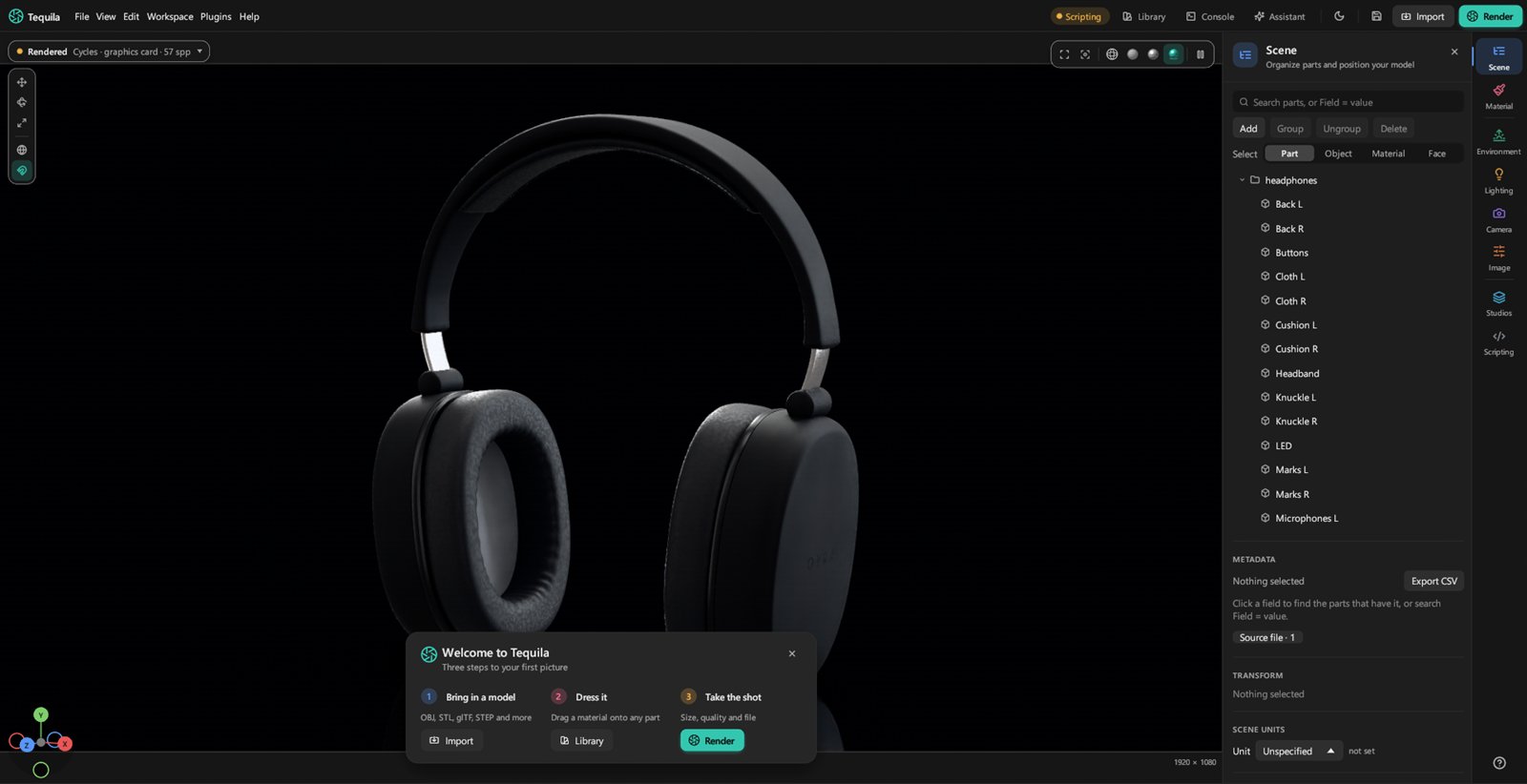
- Bring in a model. Choose File › Import model…, or drop a file on the window: STEP, IGES, Rhino (
.3dm), Blender (.blend), glTF, FBX, OBJ, STL, 3MF, PLY, USD (.usdztoo), IFC, or a KeyShot scene. Tequila keeps the model's parts, names and colours. - Dress it. Open the Library and drag a material onto any part. Drop it on a selection or a group to dress several at once. The Material tab beside it fine-tunes what you dropped.
- Take the shot. Press Render, then choose the size, the quality and the file. The render window shows it as it finishes, and the queue keeps going while you work.
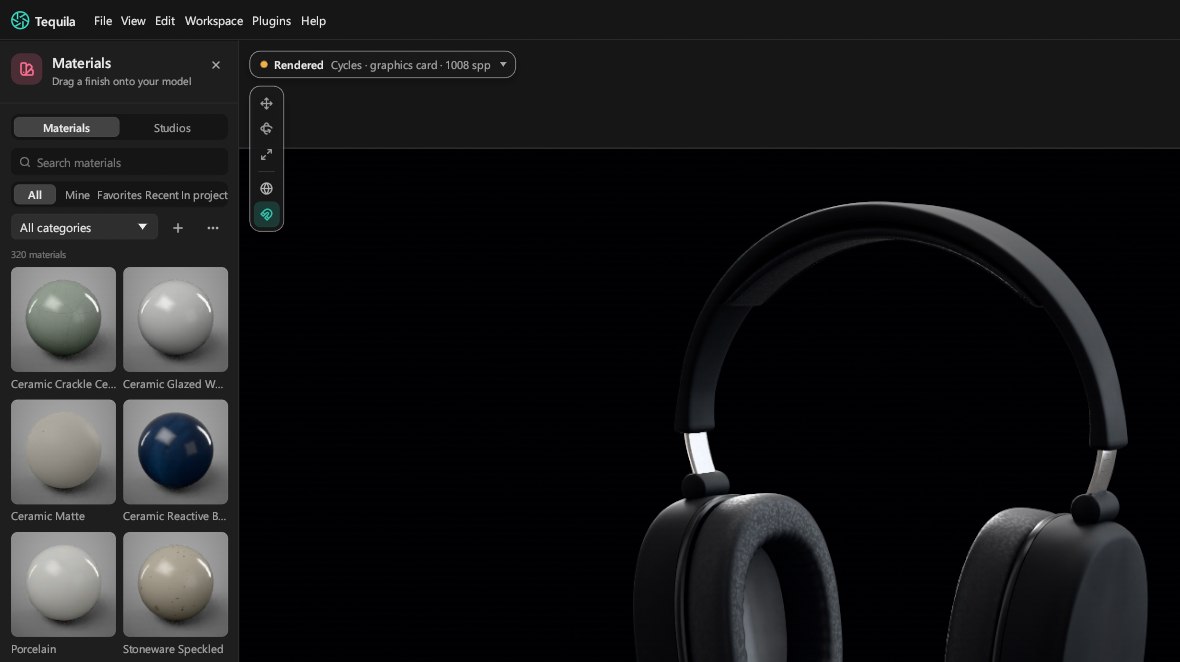
For the light, pick an environment in the Environment tab, or a whole setup of lighting, camera and look in Studios. Then turn the environment until the highlights fall where you want them.
The viewport
The viewport has four views. Switch between them with the buttons at its top left.
- Wireframe: the model's triangles, for checking a mesh.
- Solid: plain shading on the graphics card, for arranging parts quickly.
- Material Preview: materials and lighting on the graphics card, instantly.
- Rendered: the final picture, path traced and refining live. It's denoised as it goes, and pauses its denoising while you move the camera.
Help › Navigation and shortcuts lists the mouse and keyboard controls.
Which renderer
New projects render with Cycles on the graphics card: Blender's production path tracer, on NVIDIA (CUDA and OptiX), AMD (HIP) and Apple (Metal) graphics. You can change it per project in the render settings. Tequila picks another renderer by itself when it has to:
- With no graphics card Cycles can use, Cycles renders on the processor.
- Where Cycles isn't available, as on Intel Macs, Tequila's own path tracer renders.
- Render layers and render regions always come from Tequila's own renderer.
Tequila's own renderer also does spectral rendering for gems and dispersive glass. Both renderers draw the same materials, lights and fibres, and their results are meant to look alike.
Scripting and AI apps
Connect an AI app
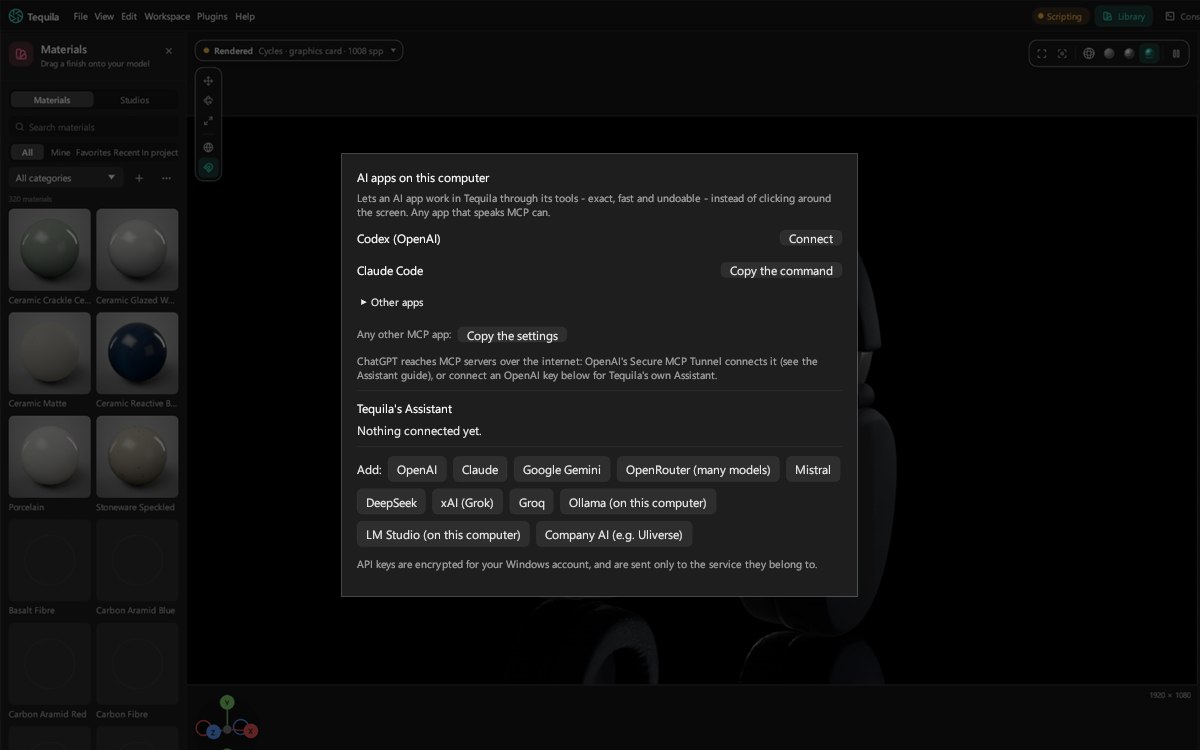
The Connect an AI window sets up an AI app in one click: Claude, Cursor, VS Code (GitHub Copilot), Codex, Gemini CLI, Windsurf or LM Studio, or any other app that speaks MCP. Then ask it, in your own words, to set up materials, lighting and renders, to make a material from a description, or to write a plugin. Tequila's built-in Assistant does the same with the provider you choose, or with a local model.
Python
The tequila Python module drives Tequila from scripts: open a model, dress it and render it, with or without the window.
import tequila

with tequila.open('product.step') as fs:
    fs.library.apply('Aluminium Anodised Blue', *fs.parts())
    fs.render('product.png', width=1920, height=1080, samples=256)
tequila.connect() drives the Tequila you have open instead. Every edit a script makes is one step to undo, just like a click.
The command line
tequila-cli renders projects and models without a window, for build servers and batch jobs:
tequila-cli -i product.tequila -o product.png -w 1920 -h 1080 -s 256 --engine cyclestequila-cli --help lists everything, including --wireframe for line drawings and --studio to render a saved studio view.
Guides
Scripting and AI apps
Python, the command line, and MCP for AI apps.
Command reference
Every command a script can send, with an example of each.
Plugins
Add your own tools and panels in Python.
Making materials
How library materials are written and shared.
Studio presets
Lighting, cameras and views saved and reused.
Opening KeyShot scenes
What comes across from .ksp and .bip files.
The project file
What's inside a .tequila file.
Live link
How Blender and other apps send models live.
Integrations
Blender, SolidWorks and ZBrush add-ons.
Questions
Is Tequila finished?
It's in beta. Every main feature is in and it's ready for real work, client renders included, but it's still changing quickly and has some rough edges. Updates come often, and Help › Check for updates installs them. The Roadmap says what's left before it's called stable.
Is it really free?
Yes. Tequila is open source under the Apache License 2.0: free to use for any work, commercial included, with no account and no licence key.
Do I need a graphics card?
No. With an NVIDIA or AMD card (or a Mac with Apple silicon), Cycles renders on it, which is much faster. Without one, Tequila renders on the processor.
Is it a copy of KeyShot?
No. Tequila follows the same kind of workflow as commercial product renderers, and it can open KeyShot scenes, but it's written independently from published rendering science. It isn't affiliated with Luxion, the makers of KeyShot.
Does it do animation?
Turntables, yes: the Studio tab makes one, and spin viewers and web pages go round the product too. Exploded views, fly-throughs and motion blur are on the Roadmap.
Why does my computer warn me when I open it?
Because it isn't signed with a paid certificate yet. The Download page shows the two clicks that get past the warning on Windows and on a Mac.
How do I update?
Help › Check for updates installs the newest version and keeps your materials, plugins and settings. Tequila also checks once a day when it starts, which you can turn off in the same window.
Is there a portable version, with nothing to install?
Yes, for Windows, in the releases after 2026.11.06.0224: Tequila-Portable-<version>-windows.zip on the Download page. Extract it anywhere you can write to, a USB drive or your Documents but not Program Files, and open Tequila.exe; it needs no administrator rights. The portable.txt file beside it makes it keep your settings, library materials, plugins, studio presets, recent projects, caches and crash reports in the data folder beside it, not in the computer's user folders, and Help › About Tequila says so. Renders and projects still go where you save them. To update, Help › Check for updates downloads the newer zip into the folder: close Tequila and extract it over the same folder. The data folder isn't in the zip, so your things stay. Live Link from Blender and Send to Tequila from SolidWorks look for an installed Tequila, so they don't find a portable one; the ZBrush bridge asks where Tequila is, and works with either.
Where do I get help or report a bug?
Ask on the Discord, or open a GitHub issue. If Tequila closes unexpectedly, the next launch shows a crash report with a Copy for Discord button.
Didn't find it here? Ask on the Discord.
Join the Discord